
Hardware Integration
Connect your props to Escape Director. A physical solve completes its Puzzle, props start Clues, audio and lighting through Room Automations, and every prop can be checked before the Room opens. Set props up in the app, connect devices you already use, or bring your own code.
Your props and your game, in step
When players solve a prop, its Puzzle completes in Escape Director and your Room responds the way you planned. When a Game Master completes the Puzzle from the Room Dashboard instead, the prop completes too, so the Room and the game never disagree.
Use props in Room Automations to start Clues, audio, lighting and the rest of your show, or send a prop a command at exactly the right moment.
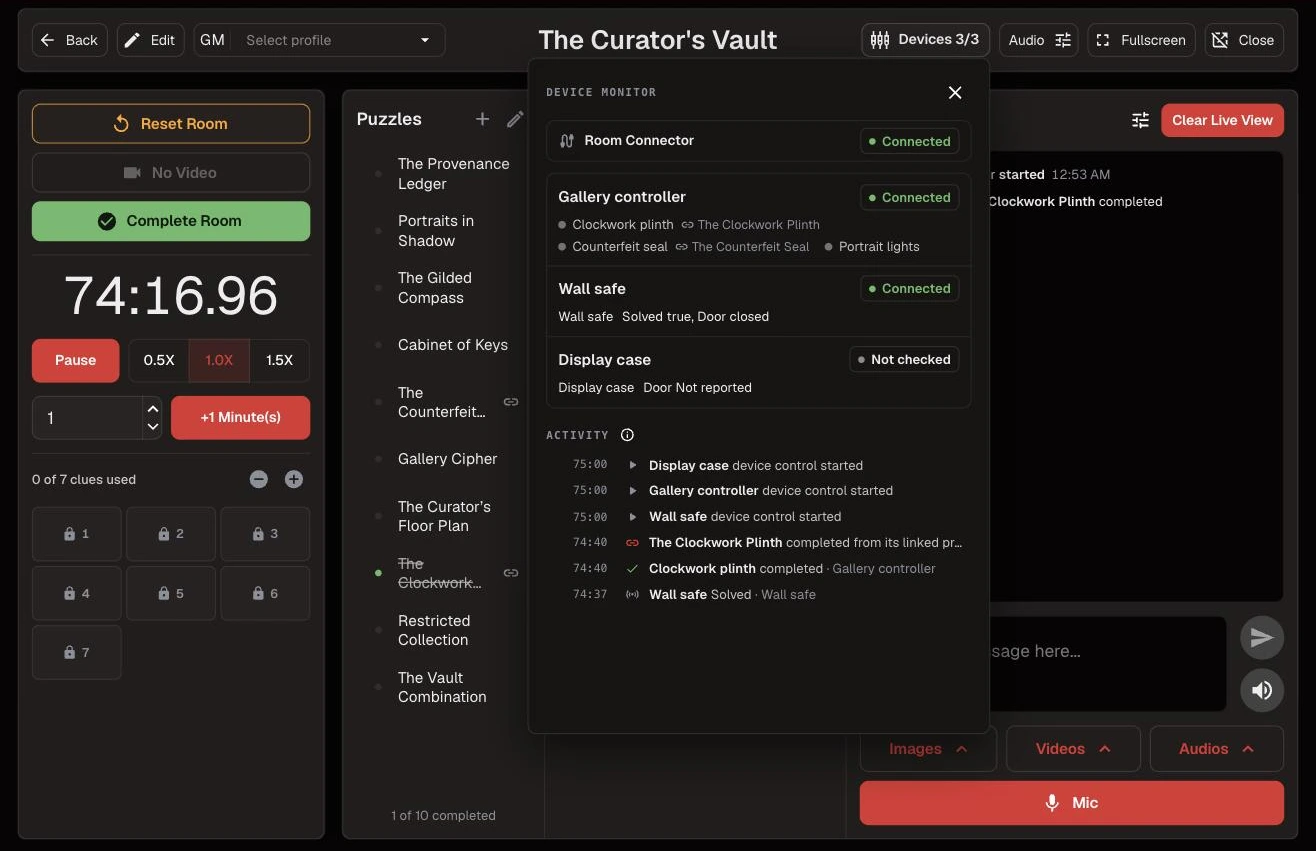
Ready before you open
Check every prop as part of getting the Room ready for the day. Test mode runs each prop from the Devices page without running Automations or completing Puzzles, so you can catch a loose wire or a sticky lock long before the first group arrives. During games, the Room Dashboard shows each prop's status at a glance.
Your hardware, your way
Set it up in the app: Escape Director firmware turns a supported controller into a prop without writing any code. Connect what you already have: devices that already send messages on your network can join the Room as they are.
Or bring your own code. You've put real work into making your props unique, so keep it. The free, open-source Device SDK connects your existing code to Escape Director, on your own or with an AI coding assistant.
Keeps running when the internet doesn't
Props connect through Room Connector on your Room Station, so they keep responding, completing Puzzles and running Automations when your internet connection drops. Start with one prop and build from there. Hardware stays optional, and Rooms without it keep working as usual.
Keep going in the Product Guide
Find step-by-step instructions and more detail in the Product Guide.
Also in this update
Improvements
2
Improvements
2A notification bell on the dashboard shows new Product Updates and trial reminders without leaving a game. Mark each one read, or mark them all read at once.
When a team's time qualifies for a published leaderboard, Save Room Statistics shows where it will place before you save.